
Users with the Can Grant Access and Can Request Access privilege can request to access the encrypted data belonging to Data Privacy Module fields.
You can make requests in two ways, either from the Search Panel or the Data Privacy Module section under Settings >> Configuration.
To request the access to the encrypted data from the Data Privacy Module section:
Go to Settings >> Configuration from the navigation bar and click Data Privacy Module.
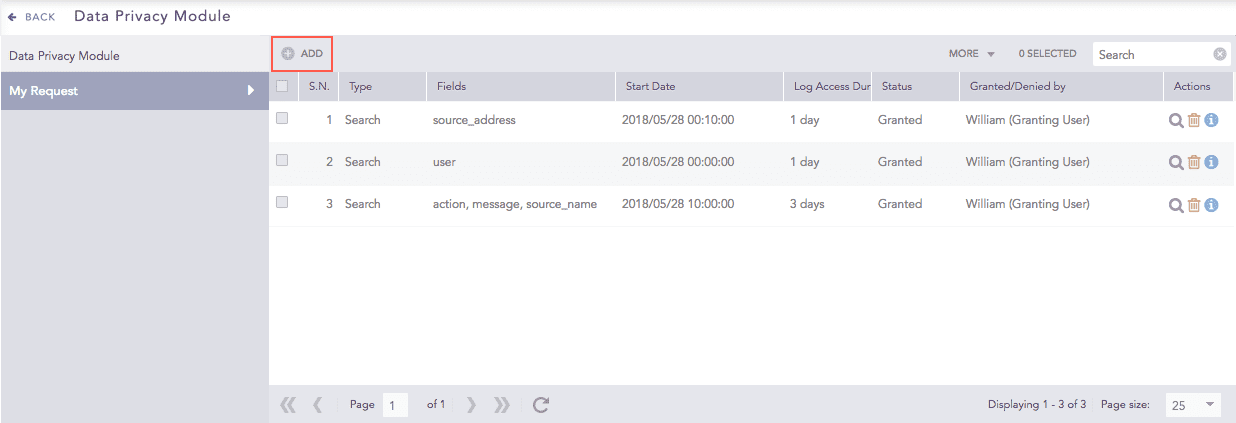
Adding Data Privacy Request
On the My Request tab, click Add to open the Data Privacy Request panel.
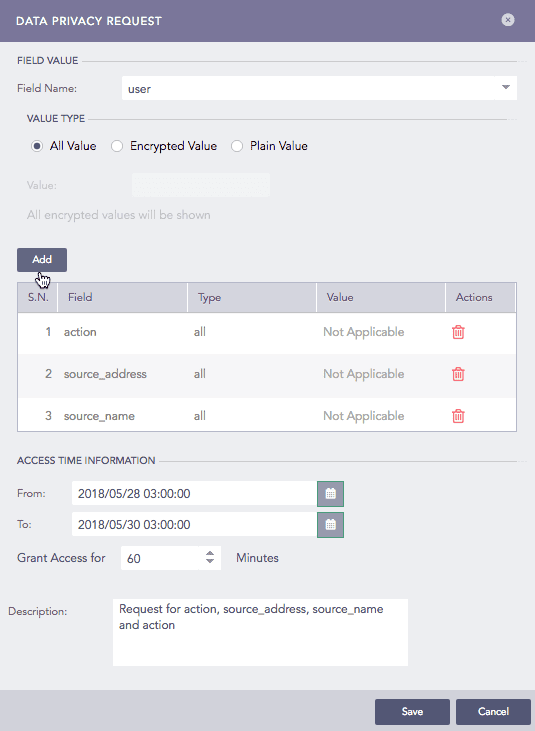
Creating Request
Select the Field Name from the drop-down menu.
Select the Value Type for the chosen field.
To select all the values, select the All Value type.
For example, if you select the field source_address, all the values of the field source_address are decrypted.
Select the Encrypted Value type if you want the particular encrypted value of the selected field to be decrypted. Provide the encrypted Value that you want to decrypt.
Select the Plain Value type if you want the particular value of the selected field to be decrypted. Enter the exact value of the selected field that you want to decrypt.
For example, if you select the field source_address, enter the value of the source_address that you want to decrypt.
Click Add. The details of the requested field(s) appear in the table below. The values on the table can be edited anytime before forwarding the request.
In the Access Time Information section:
Provide the time-range in which to extract the decrypted data. Select the start date and end date in the From and To menus respectively.
Enter the time interval for which you want to access the decrypted fields (in minutes) in the Grant Access For drop-down menu.
Add the Description to the requested field(s).
Click Save. The request is now forwarded to the user(s) with the Can Grant Access privilege.
Once you make a request, the list of Pending Request is updated in the Settings >> Configuration >> Data Privacy Module >> Pending Request section.
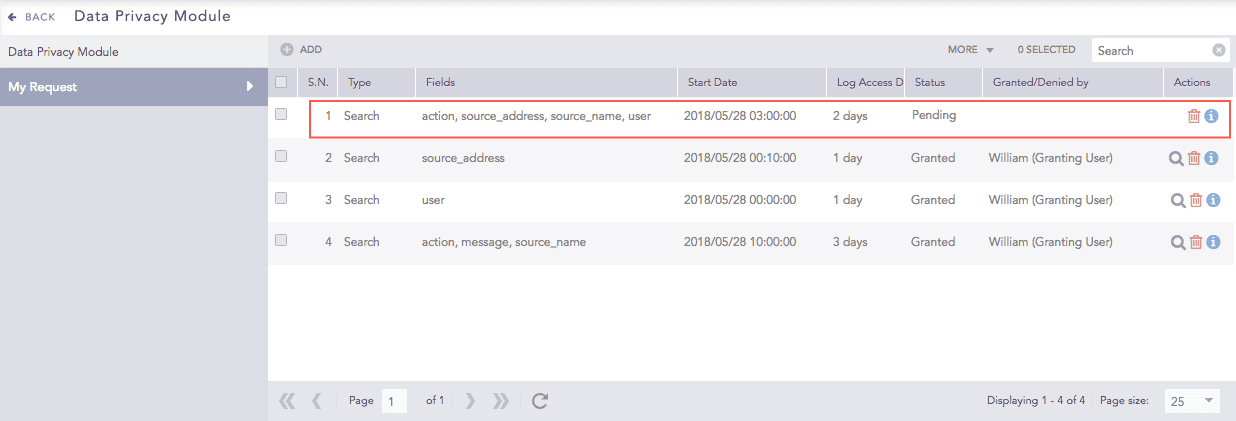
Pending Request in Requesting user’s view
The users with Can Grant Access privilege also receive an email containing the details of the request(s).
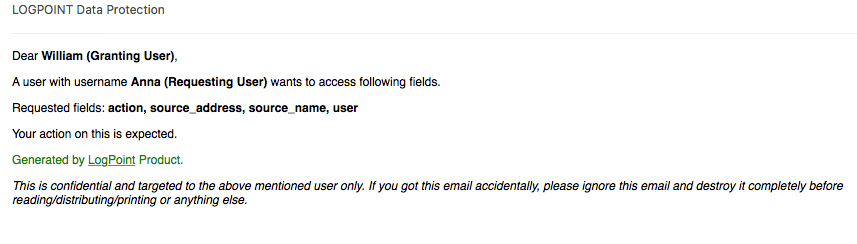
Email message to Granting User